Click to Play
It is free!
Please be patient while game is loading
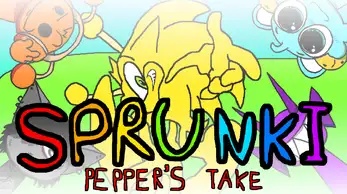
Sprunki Pepper's Take is a free browser music game that mixes Incredibox-style loops with a secret horror stage. This fan-made mod lets you place character icons on a pasture and build a track with drums, basslines, synths, and vocals. The cast borrows faces from games, memes, and YouTube, and every member brings a loop of its own. A hidden prompt unlocks a horror mode that swaps the art, sound, and mood at once. The same lineup comes back distorted, with industrial screams taking the place of friendly vocals. You can play it in your browser at no cost.
The bottom dashboard holds icons for bass, percussion, synths, effects, and vocals. Pick any icon and either tap it or drag it to the stage. The sound begins looping immediately.
Every icon you place brings one character to the stage, and seven can perform at the same time. Combine quick breakbeat drums with melodic leads until the track sounds full.
Move your pointer over a character and two buttons show up. One has a speaker for mute and the other has headphones for solo. Isolate one loop to hear it by itself, then bring the other parts back.
A tray at the upper left lets you change zoom for Orang, moving backgrounds, character motion, and censor settings for sprites. Use it for a calmer look before you begin.
When you are ready, press the horror trigger and accept the warning prompt. A countdown starts, a jumpscare lands, and the entire stage turns into a crimson version with fresh sounds.
The horror lineup uses its own loops. You hear stretched industrial shrieks and distorted guitar. Remove the old characters and stack the new ones to complete the track.
Many Sprunki mods keep one tone. Sprunki Pepper's Take uses two. The opening stage is a cheerful, goofy pasture packed with meme guests and quick breakbeats, and it works like a standard drag-and-drop mixer. You do not enter the horror stage by accident. You must approve a warning prompt, wait through a countdown, and take a jumpscare before the screen goes crimson. Then the same cast returns damaged, and their vocals become industrial noise. That shift hands you two soundboards in a single game, and a settings tray can turn animations on or off or hide the roughest sprites for a gentler session.
Yes. It costs nothing to play in your browser, and you do not need a download or an account. Open the game page on our site, load it, and drag icons onto the stage. No payment blocks any part of it.
Pick icons in the bottom dashboard and drop them on empty shapes across the stage. Each one adds a character and its loop, and you can have seven active at once. Mute and solo help you shape the mix. If you want the darker version, start horror mode.
No. The horror phase begins only after you accept the warning prompt. If you ignore it, the sunny stage stays as it is, and you can mix there for as long as you like. A censor option in the settings tray hides the harshest horror sprites.
Seven. Up to seven characters can perform together at one time, which is enough for drums, bass, melody, and vocals. The stage cannot hold more than that.
Every character gets a new design and a new sound. Smiles turn into hollow jaws, friendly vocals become industrial screeches, and the stage changes into a crimson void. One slot becomes a corrupted microwave that hums and talks in static.
No. This is a fan-made mod that follows the drag-and-drop mixing style Incredibox made famous. It is not an official Incredibox release. On top of that formula, it brings its own characters, loops, and horror phase.
The bright pasture and the crimson horror void each have their own art, loops, and character designs, so a single game gives you two soundboards.
The lineup includes parody takes on game characters, internet memes, and YouTube personalities. Each one has its own signature loop and a horror redesign to match.
The normal stage runs on a high-tempo electronic sound. You hear breakbeat drums and jungle percussion, plus arpeggiated retro leads and gliding synth mantras. That mix rewards layered play.
The settings tray collects camera zoom, moving backgrounds, character motion, and a censor toggle for harsh horror sprites in one menu. That lets you soften the look before the switch.
Choose a character in play and use mute or solo on its loop. You can reduce the mix to one drone just before the horror countdown for more tension.
An extra gallery hides in the main menu. It holds production memes, side-by-side concept art, and notes about where the crossover sounds came from.


